
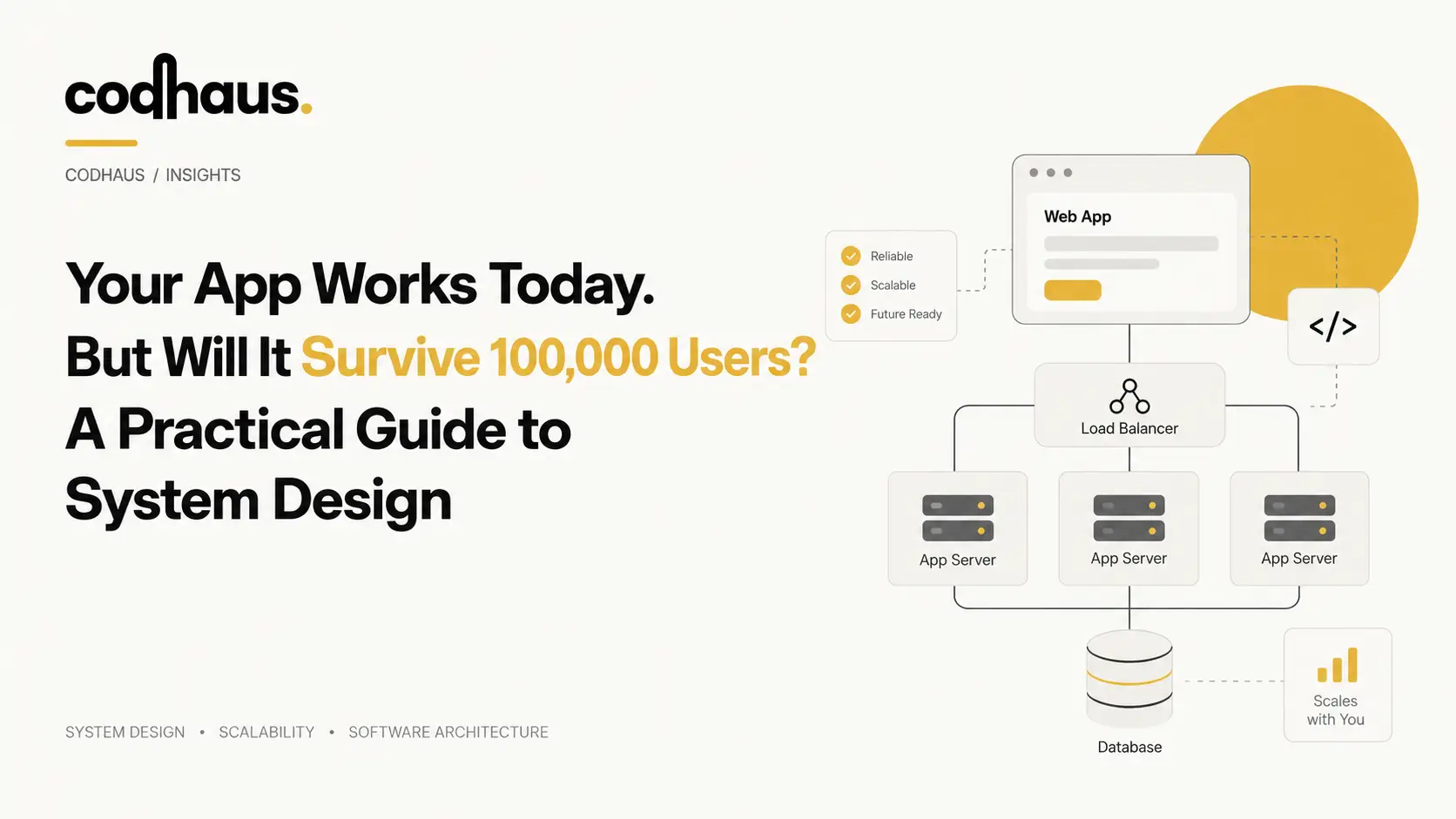
Your application may feel fast with 100 users and remain perfectly stable at 1,000. Then usage grows, requests arrive faster, database queries begin competing for resources, and a server that once looked oversized suddenly struggles to respond.
That is where System Design becomes a business concern, not just an engineering discussion.
Good Scalable System Design prepares an application for increasing traffic, growing datasets, failures, integrations and operational complexity. Yet “100,000 users” does not automatically mean 100,000 people using the system at the same second. Registered users, daily active users, concurrent sessions and simultaneous requests create very different workloads.
The real question is therefore not whether an application can display a dashboard for 100,000 accounts. It is whether its System Architecture can keep delivering predictable performance when actual demand increases.
What Is System Design — and Why Does It Matter?
System design defines how the individual parts of an application work together under real operating conditions. It determines how requests move through APIs, where data is stored, how databases are accessed, where caching belongs, how files are handled, how authentication works, how services communicate and what happens when one component becomes unavailable.
A good Software System Design starts with two kinds of requirements:
-
✓
Functional Requirements: Describe what users need to do. A customer may create an account, submit an order, upload a document, send a message or generate a report.
-
✓
Non-Functional Requirements: Describe how well the system must perform those actions. They include latency, throughput, security, reliability, availability, durability, scalability, maintainability and operating cost.
This distinction matters for businesses investing in custom software development in Saudi Arabia, because building the visible features is only one part of the project. The underlying architecture determines whether those features remain usable when transactions, users, records and integrations increase.
Architecture decisions also have a long life. A shortcut that saves development effort during launch can later become an expensive bottleneck if it ties business-critical workloads to one server, one database connection pattern or one fragile dependency.
System Design Is More Than Choosing a Tech Stack
React, Node.js and PostgreSQL can form a technology stack. So can Next.js, ASP.NET Core and SQL Server. The stack tells you which technologies developers use; it does not explain how the complete application behaves under load.
Backend System Design answers different questions: Where does session state live? How are requests distributed? Which data belongs in the database? What should be cached? How does the system recover from a failed dependency? Can application instances be added without breaking user sessions?
Two applications can use exactly the same technologies and still have completely different reliability and scalability characteristics. A well-designed system connects technology choices with traffic patterns, data ownership, failure handling and operational requirements.
Why an Application That Works Today Can Fail Tomorrow
Applications usually do not fail because a magical user threshold has been crossed. They fail because increasing demand pushes one or more resources beyond the workload they were designed to support.
As adoption grows, the application receives more HTTP requests, performs more database reads and writes, keeps more connections open, processes more background jobs and stores larger datasets. CPU usage rises. Memory becomes tighter. Network traffic increases. External APIs may start enforcing rate limits. Connection pools may reach capacity.
The result often develops gradually:
An API that normally responds in 150 milliseconds begins taking 400 milliseconds. Under heavier traffic it reaches two seconds. Clients retry timed-out requests, creating even more traffic. Database locks remain active longer, queues grow, and one slow dependency starts affecting several other parts of the system.
This is why Application Scalability involves more than buying a larger server.
Teams evaluating website performance optimization services in Riyadh should therefore look beyond front-end loading speed when the product includes dynamic application functionality. Slow API calls, inefficient queries, exhausted database connections and overloaded infrastructure can affect performance even when the browser-facing code is well optimized.
Common Warning Signs Your Application Is Reaching Its Limits
The most useful warning signs come from measurement:
-
✓
Steadily Increasing Latency: API latency rises during peak hours, particularly visible in p95 and p99 percentiles even if averages look acceptable.
-
✓
High Resource Pressure: Database CPU or disk I/O remains elevated, or queries that were fast with 50,000 records become expensive when tables contain millions.
-
✓
Queue Backlogs & Timeouts: Background tasks begin waiting in queues, and users see gateway timeouts or intermittent 502/504 errors during traffic spikes.
-
✓
Connection Exhaustion: Database connection pools hit limits and retry storms amplify traffic pressure.
These symptoms should trigger investigation rather than instant architecture changes. A slow database, for example, could indicate missing indexes, inefficient queries, excessive round trips, lock contention or simply insufficient capacity.
Start With Requirements Before Designing the Architecture
Strong System Design for Scalable Applications begins with workload modelling rather than microservices diagrams.
Architects first need to understand who will use the application and what those users will actually do. Expected user numbers matter, but peak activity matters more. A product should estimate request rates, read-to-write ratio, payload size, data growth, geographic distribution, real-time requirements and the cost of downtime for important workflows.
An e-commerce checkout has different requirements from an internal document portal. A real-time messaging product behaves differently from an analytics dashboard that performs expensive aggregations.
That distinction matters when businesses evaluate software development services in Riyadh. Architecture should follow the application's transaction patterns and business risks, not a standard template applied to every project.
Performance targets should also be measurable. Instead of saying the application must be “fast,” define what acceptable response time means for business-critical actions. Instead of saying it must “never go down,” decide which operations require redundancy, which failures can tolerate short recovery periods and what data must remain strongly consistent.
100,000 Registered Users vs 100,000 Concurrent Users
One hundred thousand accounts in a database does not imply 100,000 concurrent sessions.
Imagine an application with 100,000 registered customers. During an illustrative peak period, perhaps only a few thousand are actively using it. That workload may be entirely manageable with a relatively simple architecture depending on what each user does.
Now imagine 100,000 users simultaneously establishing connections, uploading files or making API requests. That produces a completely different infrastructure requirement.
User Population → Active Users → Concurrent Activity → Request Rate → Work Per Request → Infrastructure DemandRequest complexity matters as much as request count. Ten thousand requests that retrieve a cached object are dramatically different from ten thousand requests that each execute several complex joins and call two external APIs.
Think in Requests and Workload, Not Marketing Numbers
Capacity planning should therefore use access logs, product analytics, database metrics and realistic load tests whenever possible. A simple conceptual comparison illustrates relative pressure:
Cached read request (Low)
Simple indexed DB read (Moderate)
Multi-table transaction (Heavy)
File processing workflow (Very Heavy)
External API + DB workflow (Critical)*The bars are illustrative to demonstrate why user count alone cannot determine infrastructure requirements.
Vertical Scaling vs Horizontal Scaling
When an application needs additional capacity, two fundamental approaches exist: Vertical Scaling and Horizontal Scaling.
Vertical scaling increases the power of an existing machine. Horizontal scaling adds more machines or application instances and distributes work between them. Neither is automatically superior.
A growing product may vertically scale its database while horizontally scaling stateless application servers. Another system may remain on a single larger server because that design delivers adequate performance at lower operational cost. The right decision depends on capacity limits, redundancy requirements, infrastructure cost, application state and the engineering team's ability to operate distributed infrastructure.
Vertical Scaling (Scale-Up)
Vertical scaling means moving a workload to a more powerful server with more CPU cores, RAM, and faster disk I/O.
[4 CPU / 8 GB RAM] ───(Upgrade)───► [16 CPU / 64 GB RAM] ───(Upgrade)───► [64 CPU / 256 GB RAM]The main advantage is simplicity. Existing software may require few or no architectural changes, making vertical scaling an effective response when the system needs additional CPU, memory or storage performance.
However, scale-up strategies eventually encounter hardware or economic limits. A larger server can also remain a single point of failure if no redundancy exists. Vertical scaling is therefore not a mistake; it becomes a problem when teams assume they can continue increasing one machine indefinitely while ignoring availability and workload growth.
Horizontal Scaling (Scale-Out)
Horizontal scaling adds additional compute instances behind a routing layer.
                       [ Load Balancer ]
                       /       |       \
                      ▼        ▼        ▼
                   [App 1]  [App 2]  [App 3]
This model can increase capacity and improve redundancy, but the application must support distributed operation. If App 1 stores a user's session only in local memory and the next request reaches App 3, the experience can break. Teams must externalize session state (e.g., in Redis), use stateless tokens (JWT), or implement session affinity where appropriate.
Load Balancing in System Design: Stop Sending Everything to One Server
Load Balancing in System Design provides the routing layer that commonly makes horizontal application scaling practical.
                    [ Incoming Users Traffic ]
                                 │
                                 ▼
                     [ Load Balancer / Reverse Proxy ]
                                 │
            ┌────────────────────┼────────────────────┐
            ▼                    ▼                    ▼
     [ App Server 1 ]     [ App Server 2 ]     [ App Server 3 ]
The load balancer receives incoming traffic and distributes requests among healthy application instances. Depending on the implementation, it may use round-robin routing, least-connections strategies, IP hashing, or latency-based policies.
Health checks matter because traffic should not continue flowing to an application instance that has crashed or become unhealthy. Removing failed instances from the active pool helps protect users while replacement capacity becomes available.
Nginx, HAProxy, AWS ALB, and Google Cloud Load Balancers are common examples, but the architectural principle matters more than the specific product.
Organizations using cloud & devOps services may also connect this layer with deployment automation, autoscaling, monitoring and infrastructure management so application capacity can respond more predictably to workload changes. Remember: a load balancer does not solve every scalability problem. Three application servers still struggle if every request eventually overloads the same single database.
Caching in System Design: The Fastest Database Query Is Often the One You Don't Make
Caching in System Design reduces unnecessary repeated work.
Without caching, an application might repeatedly retrieve the same relatively stable information from its database on every request:
User 1 ──► API ──► Database Query (120ms)
User 2 ──► API ──► Database Query (120ms)
User 3 ──► API ──► Database Query (120ms)
With caching, frequently requested data is served in sub-milliseconds from an in-memory cache:
User ──► API ──► [ Redis In-Memory Cache ] (1ms hit)
                    │
                    ▼ (cache miss only)
                 [ Authoritative Database ]
Redis is commonly used as an in-memory cache, though the underlying principle is not tied to one product. Product catalogs, configuration values, computed results, user sessions and selected API responses can be good caching candidates when freshness requirements allow it.
This becomes particularly relevant in web application development across Saudi Arabia, where customer portals, SaaS platforms, marketplaces and business systems repeatedly request the same reference or catalog data as user concurrency grows.
Cache Invalidation, Stampedes & Best Practices
Caching still needs discipline:
-
✓
Cache Hits Are Valuable; Wrong Data Is Not: A high cache-hit rate reduces database pressure, but incorrect invalidation returns stale data. Teams should set defensive TTLs (time-to-live) and implement explicit cache eviction on updates.
-
✓
Watch for Cache Stampedes: If a heavily requested key expires and thousands of concurrent requests query the database simultaneously to rebuild it, the cache briefly creates the very load spike it was designed to prevent. Mutex locks or probabilistic early expiration resolve this.
-
✓
Optimization, Not Design Substitute: A cache cannot repair fundamentally inefficient transactions, incorrect schema modelling or an architecture that performs excessive work for every request.
Your Database Often Becomes the Real Scalability Bottleneck
Adding application servers can increase database pressure because each new instance can open connections and issue queries against the same data layer. That is why Database Scaling needs a different strategy from scaling stateless application code.
Database performance depends on query patterns, indexes, transaction volume, locks, disk I/O, working-set size, connection pools and read/write characteristics. PostgreSQL, MySQL and SQL Server can all support substantial workloads when designed and operated correctly; switching database products should not be the default response to performance problems.
Database Indexing and Query Optimization
Indexes help the database locate relevant rows without scanning large portions of a table. However, more indexes do not automatically create better performance. Each index consumes storage and increases write overhead during inserts and updates.
An execution plan (EXPLAIN ANALYZE) can reveal full table scans, costly joins, poor index selection and expensive sorts. Developers should also eliminate N+1 query patterns, over-fetching (e.g. SELECT * on large columns), and repeated round trips. Do not shard a database when the actual problem is a poorly indexed query.
Database Replication (Read Replicas)
Database Replication maintains additional copies of data across follower nodes:
                         [ Primary Database (Writes) ]
                                /             \
                               ▼               ▼
                   [ Replica 1 (Reads) ]    [ Replica 2 (Reads) ]
A common architecture sends writes to the primary while selected read operations use replicas. This reduces read pressure on the primary, but replication introduces replication lag. A user may update data and briefly see older information if an immediate read hits a lagging replica. Replication also does not solve write bottlenecks.
Database Sharding (Horizontal Partitioning)
Database Sharding divides records across multiple database nodes:
Shard Key (e.g., Tenant ID / Region)
├── Tenant 0001 - 5000  ──► [ Shard Database 1 ]
└── Tenant 5001 - 9999  ──► [ Shard Database 2 ]
Choosing the shard key is critical. A poor strategy creates hot shards where one node receives disproportionate traffic. Sharding also complicates cross-shard joins, transactions, and backups. It is a powerful tool when genuine dataset or write-scale constraints justify it, but premature sharding turns a manageable database into an operational headache.
Synchronous vs Asynchronous Processing
Not every operation needs to finish while the user waits on an HTTP response.
Suppose a customer places an order. The system needs to validate the transaction and save the order before confirming success. But email delivery, push notifications, analytics events, third-party ERP syncing, and PDF invoice generation can happen in the background:
[ User Places Order ] ──► [ API Confirms (50ms) ] ──► [ Message Queue (RabbitMQ/Kafka/SQS) ]
                                                              │
                                      ┌───────────────────────┼───────────────────────┐
                                      ▼                       ▼                       ▼
                               [ Email Worker ]        [ Invoice Worker ]      [ Analytics Worker ]
Message queues decouple the immediate request path from slower background work. Producers publish jobs; workers process them independently. The architecture improves user response times and absorbs traffic bursts because spikes queue up safely rather than overwhelming application servers.
However, Distributed Systems require careful failure handling. Retries, acknowledgements, idempotency (ensuring duplicate messages don't double-charge customers), dead-letter queues, and worker monitoring become essential components of reliable asynchronous design.
Monolith or Microservices? Scale Does Not Automatically Mean Microservices
A scalable system does not automatically require Microservices Architecture. A monolith keeps application functionality within one primary deployment unit, while microservices divide responsibilities into separately deployable services that communicate over network interfaces.
The comparison is not “old versus modern” — it is operational fit:
| Architecture Dimension | Modular Monolith | Microservices Architecture |
|---|---|---|
| Deployment | Single pipeline, fast, straightforward rollouts | Independent deployments, requires advanced CI/CD & orchestration |
| Networking | In-memory method calls, zero network overhead | Service-to-service HTTP/gRPC calls, network latency & failure modes |
| Debugging & Tracing | Single stack trace, straightforward local testing | Requires distributed tracing (Jaeger/OpenTelemetry) & centralized logs |
| Scaling Model | Entire application scales horizontally together | High-load services scale independently from lightweight services |
| Transactions & Data | ACID transactions within one shared database | Distributed workflows, saga patterns, eventual consistency challenges |
| Operational Overhead | Low initial overhead, smaller team friendly | High overhead, requires dedicated DevOps & infrastructure maturity |
When a Monolith Can Be the Better Architecture
A well-structured modular monolith can comfortably support millions of requests. Teams gain simpler deployments, easier local debugging, fewer network failure modes and straightforward database transactions. Internal modules separate business domains cleanly without turning each domain into an independently operated network service.
The real risk is not "monolith" — it is poor modularity (a "spaghetti monolith"). If code boundaries are clean, a modular monolith provides unmatched development velocity.
When Microservices Become Useful
Microservices become valuable when an organization has genuine reasons to separate services: distinct teams owning independent domains, wildly disparate resource requirements (e.g. video processing vs. user authentication), or strict isolation requirements.
Microservices should solve an organizational or technical constraint that already exists, rather than serve as architecture for a hypothetical future company.
High Availability System Design: What Happens When Something Fails?
High Availability System Design asks a different question from ordinary scalability: when a component fails, how much of the service remains usable?
A resilient system runs multiple application instances behind health-aware routing so one crashed process does not bring down the service. Critical databases use replication and automated failover. Multi-zone cloud deployments protect against data center outages.
Resilience should also include security. As infrastructure expands, the number of network paths, credentials, services and external interfaces can increase. Businesses evaluating cybersecurity services in KSA should consider how authentication, authorization, secrets management, API exposure, segmentation, logging and incident detection evolve alongside infrastructure scale.
Backups and high availability should not be confused. A backup can restore lost data after a disaster; it does not automatically keep the application online during a live server failure.
Fault Tolerance vs High Availability
High Availability aims to minimize downtime through redundancy, monitoring and swift recovery. A Fault Tolerant Architecture aims to continue operating without interruption despite specified hardware or software failures.
The distinction matters because declaring a system “fault tolerant” without defining which failures it tolerates provides little technical meaning. A platform might tolerate the loss of an application server while still depending on a single primary database. Resilience should always be defined around specific failure modes.
What a Scalable Architecture Might Look Like
A practical Scalable Software Architecture combines several proven patterns into a coherent, multi-tier system:
                        [ Users (Web & Mobile) ]
                                   │
                                   ▼
                      [ CDN & Cloudflare Edge ]  (Static Assets, DDoS Protection, SSL)
                                   │
                                   ▼
                       [ Load Balancer (ALB) ]   (Health Checks, SSL Termination)
                                   │
                 ┌─────────────────┼─────────────────┐
                 ▼                 ▼                 ▼
          [ App Instance 1 ] [ App Instance 2 ] [ App Instance 3 ] (Stateless Containers)
                 │                 │                 │
                 └─────────────────┼─────────────────┘
                                   │
                 ┌─────────────────┴─────────────────┐
                 ▼                                   ▼
     [ Redis Cache Cluster ]            [ Primary Database (Writes) ]
     (Sessions, Hot Data, TTL)                       │
                                           ┌─────────┴─────────┐
                                           ▼                   ▼
                                 [ Read Replica 1 ]  [ Read Replica 2 ]
                                           │
                                           ▼
                               [ Message Queue / Broker ]
                               (Jobs, Events, Notifications)
                                           │
                             ┌─────────────┼─────────────┐
                             ▼             ▼             ▼
                       [ Email Worker ] [ Reports Worker ] [ Third-Party API Sync ]
In this architecture:
-
✓
CDN Edge: Serves static files and caches invariant responses close to users, eliminating unnecessary requests before they hit servers.
-
✓
Load Balancer: Distributes dynamic requests across autoscaling stateless compute instances.
-
✓
Redis Cache: Handles user sessions, rate limits, and hot data lookups in microseconds.
-
✓
Primary / Replica DB: Protects transaction integrity on the primary while offloading read queries to replicas.
-
✓
Background Workers: Ensure slow operations like email sending and document generation do not block customer HTTP responses.
Don't Overengineer for Traffic You Don't Have
Good engineering prepares for change without paying today's price for tomorrow's imaginary problem.
Prematurely adopting Kubernetes clusters, five message brokers, multiple specialized databases and dozens of microservices dramatically increases cloud spending, deployment complexity, security exposure, and debugging time long before the business gains any value from them.
STAGE 1:  Monolithic Application + Managed Database (Launch & Validation)
     │
     ▼
STAGE 2:  App Server + Redis In-Memory Cache + Database (Query Relief)
     │
     ▼
STAGE 3:  Load Balancer + Autoscaling Stateless App Nodes + Cache + Read Replicas
     │
     ▼
STAGE 4:  Background Queues + Distributed Event Services where verified requirements demand it
System Design Best Practices favor evidence-driven changes. If profiling shows that one query causes 80% of database load, rewriting it or adding a composite index provides vastly more ROI than redesigning the entire system.
A Practical System Design Checklist Before You Scale
Before increasing infrastructure spending or refactoring code, ask these measurable questions to isolate the actual bottleneck:
| Architecture Area | Key Question to Ask Before Scaling |
|---|---|
| Traffic Profile | What is our peak request rate (RPS), and how bursty is traffic during marketing pushes? |
| User Measurement | Are we designing for registered accounts, daily active users, or concurrent peak sessions? |
| Database Queries | Which specific queries and locks create the most CPU and disk I/O pressure? |
| Caching Fit | Which static reference data or expensive computations can be safely reused with a TTL? |
| Application State | Can compute instances run statelessly across multiple servers without breaking user sessions? |
| Availability | What happens when a single node, database instance, or external API fails? |
| Async Decoupling | Which time-consuming tasks can be offloaded to background message queues? |
| Observability | Do centralized logs, p95/p99 metrics, and APM traces expose degradation before users complain? |
| Security Posture | Has horizontal expansion exposed internal ports, API endpoints, or shared secrets? |
| Infrastructure Cost | Is the projected cloud infrastructure cost sustainable at 10x current transaction volume? |
What Should You Optimize First?
Always remove the cheapest bottleneck first:
- Analyze & Profile: Measure latency, query execution times, queue depths, and memory usage before writing a line of code.
- Fix Slow Queries: Add missing indexes, eliminate N+1 queries, and refine ORM queries.
- Implement Targeted Caching: Cache high-frequency, read-heavy data in Redis.
- Scale Stateless Compute Horizontally: Add instances behind a load balancer when CPU reaches capacity.
- Decouple Heavy Work: Move emails, PDFs, and third-party API syncs to background workers.
- Scale Database Layer: Introduce read replicas or partitioning only when data tier limits are genuinely proven.
Frequently Asked Questions About System Design & Scalability
System Design is the process of defining how application components interact to satisfy functional and non-functional requirements. It covers APIs, application services, databases, caching, storage, networking, infrastructure, security, availability and failure handling. In production software, good design focuses not only on how features work but also on how the complete application behaves as traffic, data and operational complexity increase.
Potentially, but the number of registered users does not provide enough information to answer the question. Capacity depends on concurrency, requests per second, database workload, payload size, application logic, caching, connection behaviour and the type of actions users perform. A lightly used application with 100,000 accounts may require far less infrastructure than a smaller application processing thousands of simultaneous transactions.
Performance describes how efficiently a system handles a given workload, often measured through latency, throughput and resource consumption. Scalability describes how effectively the system can accommodate increasing workload by adding or changing resources. An application can perform well at low traffic but scale poorly as concurrency increases.
No. Vertical Scaling can provide a simple and economical capacity increase without introducing distributed-system complexity. Horizontal Scaling becomes valuable when workloads need additional capacity, redundancy or elasticity beyond what one machine can reasonably provide. Many production architectures use both methods at different layers.
Caching is useful when the application repeatedly retrieves or computes information that can safely be reused for a period of time. Frequently read reference data, catalog information and selected computed results are common candidates. Teams should define cache expiration and invalidation rules before relying heavily on cached data.
Database Replication creates additional copies of data, often to improve read capacity, availability or recovery options. Database Sharding divides the dataset across separate database nodes so different records live on different shards. Replication duplicates data; sharding partitions it. They address different scaling problems and can sometimes be used together.
No. Many applications can achieve significant scale with a well-structured monolith, appropriate database design, caching and horizontally scaled application instances. Microservices become more useful when independent team ownership, deployment boundaries, domain separation or different scaling requirements justify their operational complexity.
Look at evidence rather than user-count milestones. Rising latency, resource saturation, slow database queries, connection exhaustion, increasing error rates, queue backlogs and failures during traffic spikes are signals worth investigating. Profiling and load testing can identify whether the constraint belongs to application code, infrastructure, a database or an external dependency.
Start with requirements and measurable bottlenecks. Architecture should solve an observed or reasonably forecast constraint while preserving reliability, maintainability and cost efficiency. Adding infrastructure without understanding the workload can make an application more complex without making it meaningfully more scalable.
Build Software That Has Room to Grow
If you are planning a custom business application, SaaS platform or digital product, scalability decisions are easier and less expensive when they are considered before growth exposes architectural limitations. Design around the transactions that matter, measure performance as usage develops and expand infrastructure when the workload gives you a reason to do so.
codhaus helps businesses plan and develop scalable software around real performance, architecture and operational requirements, giving growing products a stronger technical foundation without forcing unnecessary complexity into the first version.